- New
R.Compat.allowedJobsOnly: limits the esx_billing and okokBilling events to the jobs inR.AllowedJobs. Keeping your old config? Add the line yourself. - Safer balance check when several bills are paid at once.
- Closing the UI with ESC no longer opens the pause menu.
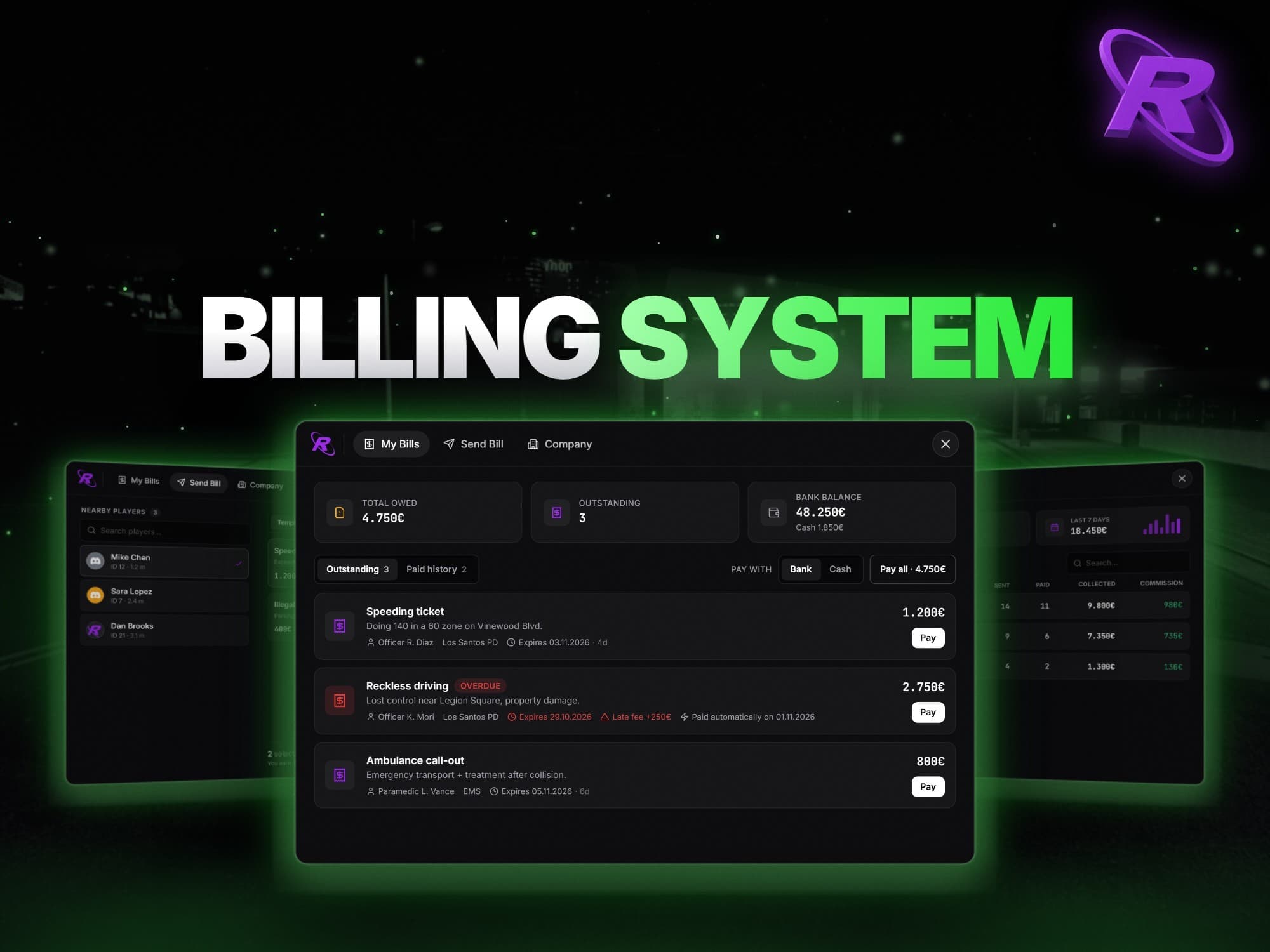
R_Billing lets police, EMS, mechanics or any job bill nearby players. Players pay from one panel, employees earn a cut of what they bill, and bosses run the company's bills, templates and team in-game.
Sending bills
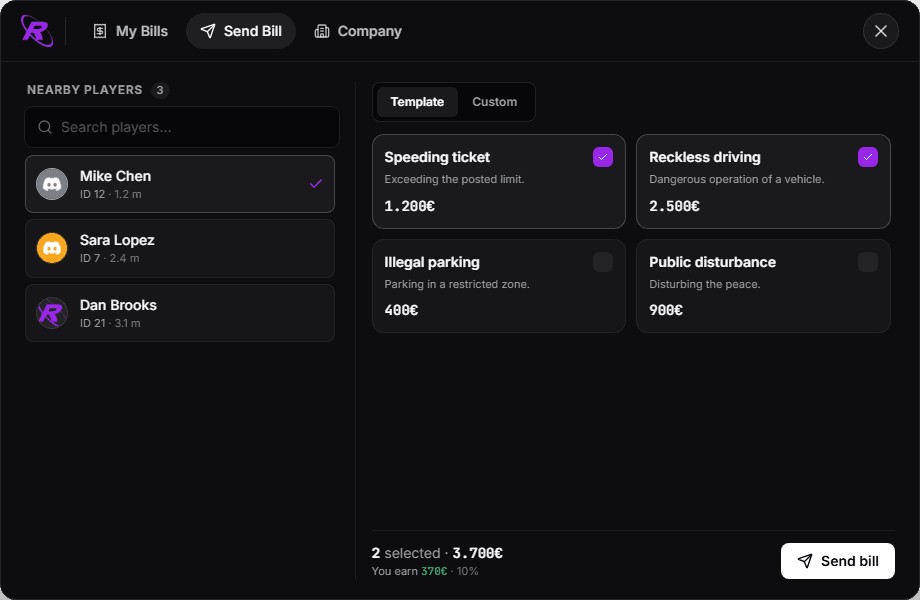
Premade bills. Pick one or more templates and the total adds up.
Custom bills. Your own amount, title and due date.
Nearby players. Pick who to bill, with their Discord picture and distance.
Commission. Employees see what they earn before they send, and get it when the bill is paid.
Paying
My Bills. Every open and paid bill in one place. F7 or
/bills.Bank or cash. Players choose how they pay.
Pay all. Clear every open bill at once, oldest first.
Late fees. Overdue bills get a one-time fee and a reminder, and can be paid automatically after a few days.
Company
New templates in-game. Bosses create, edit and delete them without touching the config.
Last 7 days. The company's income per day at a glance.
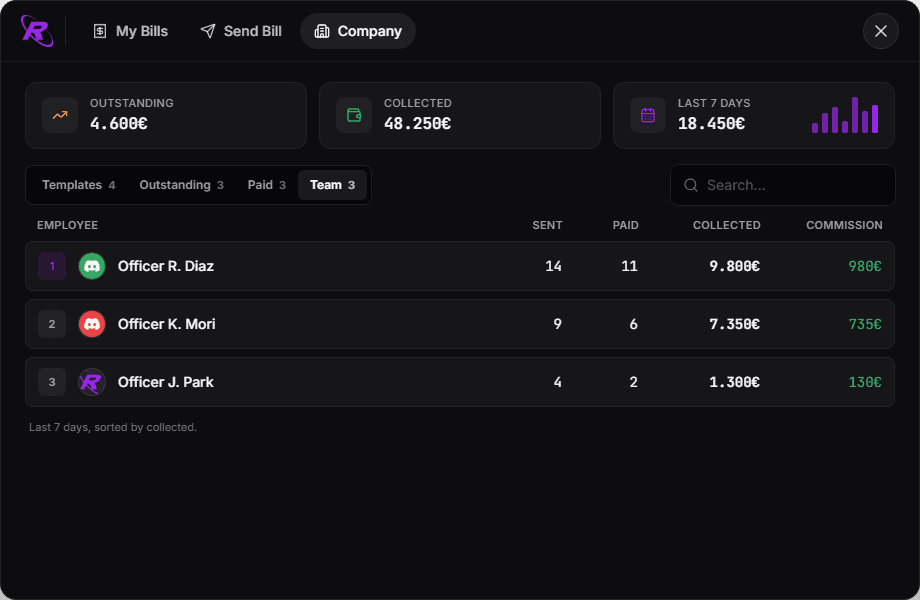
Team overview. Who sent, collected and earned the most this week, with Discord pictures.
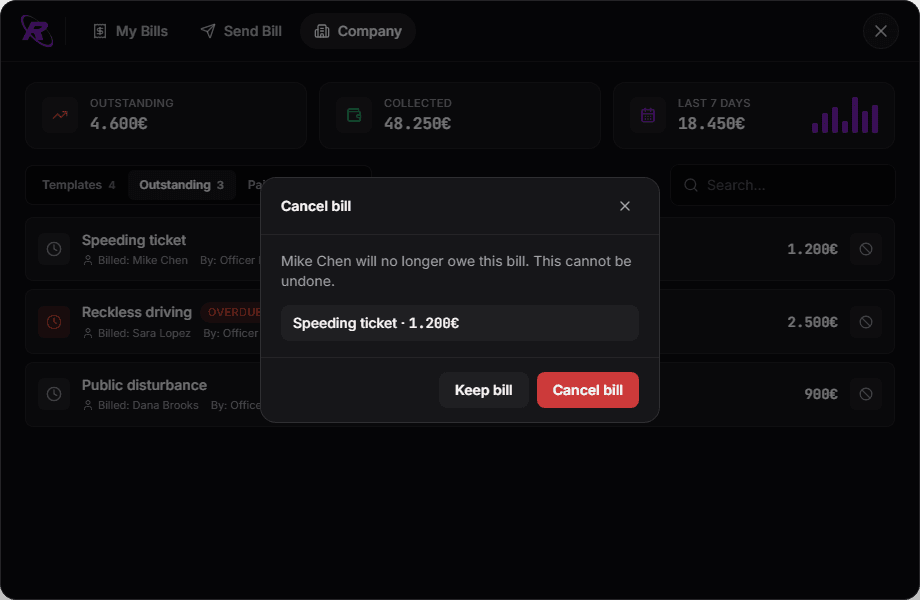
Cancel bills. Bosses can void a bill that was sent by mistake.
Paid to the company. Money goes to the job's society account. Common banking scripts work out of the box.
For server owners
QBCore, ESX and QBox. Detected automatically.
Server checked. Amounts, distance and permissions are checked on the server.
Your notifications. ox_lib, ESX, QB, okok, Quasar or CodeSign.
Logs. Discord webhook or the ox_lib logger.
Easy to change. One config, open banking and notify files, English and Finnish, auto-updater. 0.00 ms.
- Version
- v2.1.1 · Nov 11, 2026
- Resmon
- 0.00 ms at all times
- Resource size
- ~0.4 MB
- Lines of code
- 3,0201,387 Lua · 1,633 UI
- Languages
- EnglishFinnishAdd your own
- Dependencies
- ox_liboxmysql
- Commission: employees earn a share of every bill they send, paid out when the bill is paid (10% by default, set per job)
- Bank or cash: players choose how they pay, and Pay all clears every open bill at once
- Late fees: overdue bills get a one-time fee (10% by default) and can be paid automatically after a set number of days (off by default)
- Company tab: last 7 days of income, a Team ranking with Discord pictures, search, and bosses can cancel a bill
- Discord pictures in the nearby players list when sending a bill
- The Accent colour in R.UI now recolours the whole UI, and error messages say what went wrong
- Every action now has a server-side rate limit
- Sending bills from many templates at once is capped at 50
- Payment history loads faster on big servers: the new indexes are added to your database automatically on the first start
- The UI logo is now a normal file. Replace web/build/media/logo.png with your own logo, no rebuild needed.
- bridge/ folder is now open, so you can edit framework and job code yourself
Premade bills
Open Send Bill, pick a nearby player and tick one or more templates, like a speeding ticket and reckless driving. The total adds up as you go, and the panel shows what you earn from the bill before you send it. Nearby players show with their Discord picture and distance, so you always bill the right person.
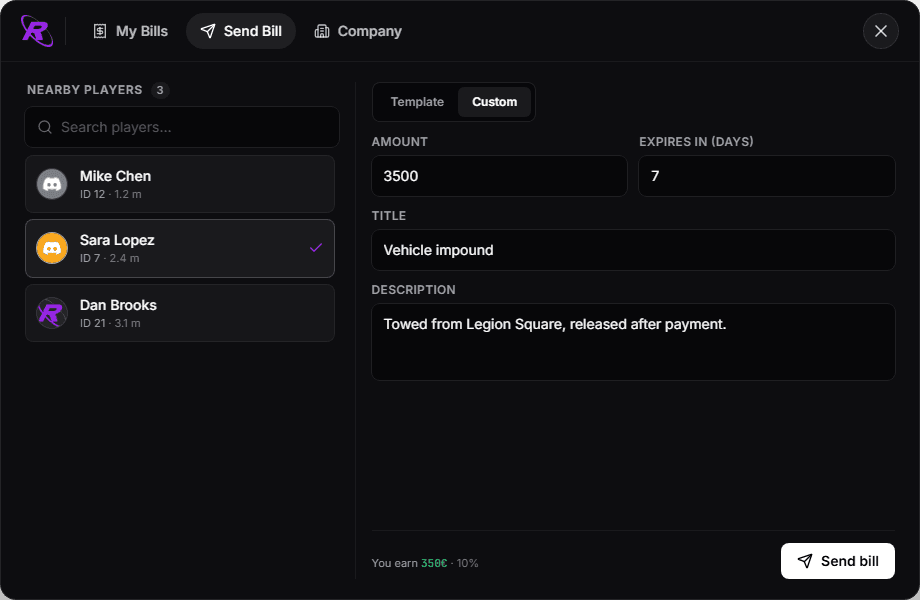
Custom bills
When no template fits, switch Send Bill to Custom and write the bill yourself. Set the amount, a title, a description and how many days the player has to pay. Your commission shows next to the Send bill button before you send it, and the bill lands in the player's My Bills.
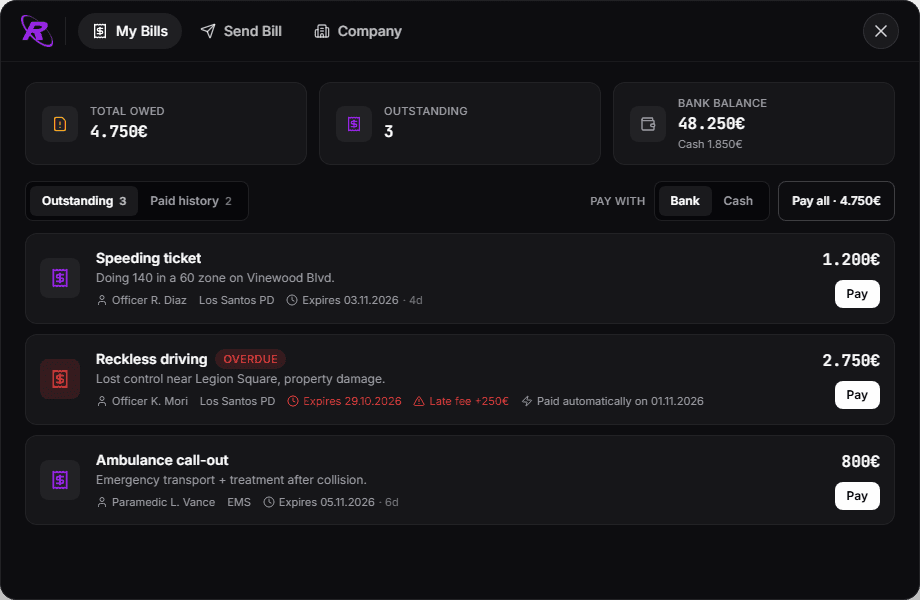
My Bills
Players press F7 or type /bills to see every open bill with who sent it, what it is for and when it expires. They choose bank or cash, then pay one bill or clear them all at once with Pay all. Overdue bills are marked clearly with their late fee, and paid ones move to the history tab.
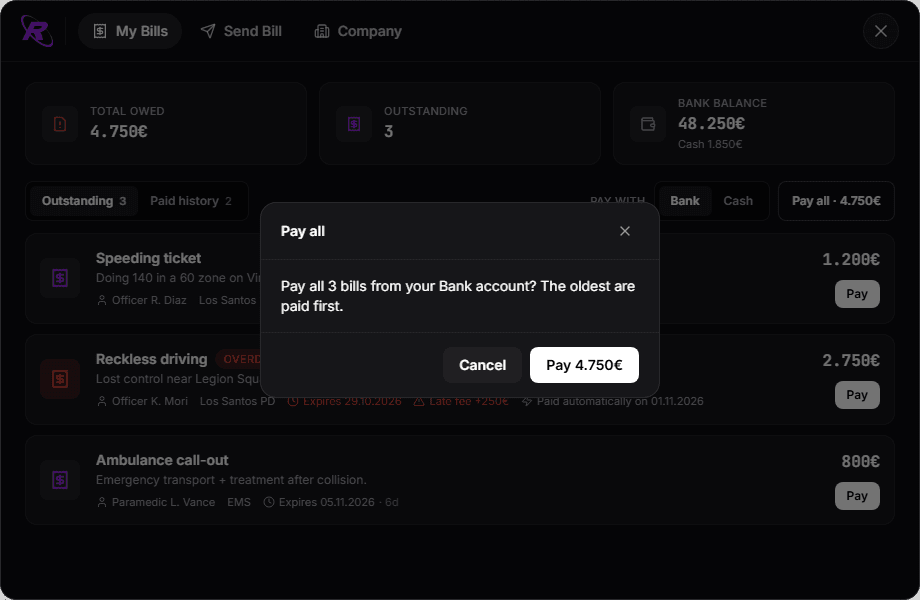
Pay all
Players with several open bills clear them in one go with Pay all. A window shows how many bills will be paid, from which account and the full total, and the oldest bills are paid first. One click on Pay settles everything, so nobody has to pay bill by bill.
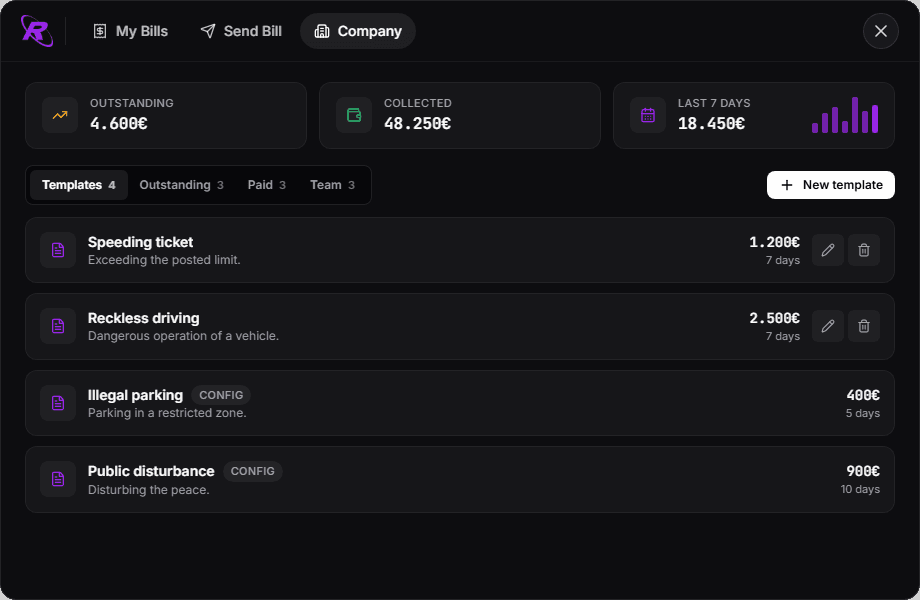
New templates in-game
Bosses add new bill templates from the Company tab with a title, a description, an amount and the days until it expires. Their own templates can be edited or deleted at any time, right next to the ones from the config. The same view shows outstanding and collected money and the company's income over the last 7 days.
Team overview
The Company tab shows bosses how the team did over the last 7 days. Every employee is listed with their Discord picture, the bills they sent, how many got paid, the money collected and the commission they earned. The list is sorted by money collected, so it is easy to see who brings in the most.
Cancel bills
Bosses can void a bill that was sent by mistake straight from the Company tab. Every outstanding bill has a cancel button, and a window asks to confirm first. The player no longer owes it and the cancel can't be undone, so a wrong bill never sits on anyone's list.
Billing System
FiveM Billing & Invoicing Script for QBCore, ESX & QBox
19.99€