- Tips: show your own tips above the loading bar, they change every few seconds (config.js > tips).
- The loading log now shows which resource is loading, like "Loading r_store".
- The music player remembers each player's volume, mute and pause for their next join.
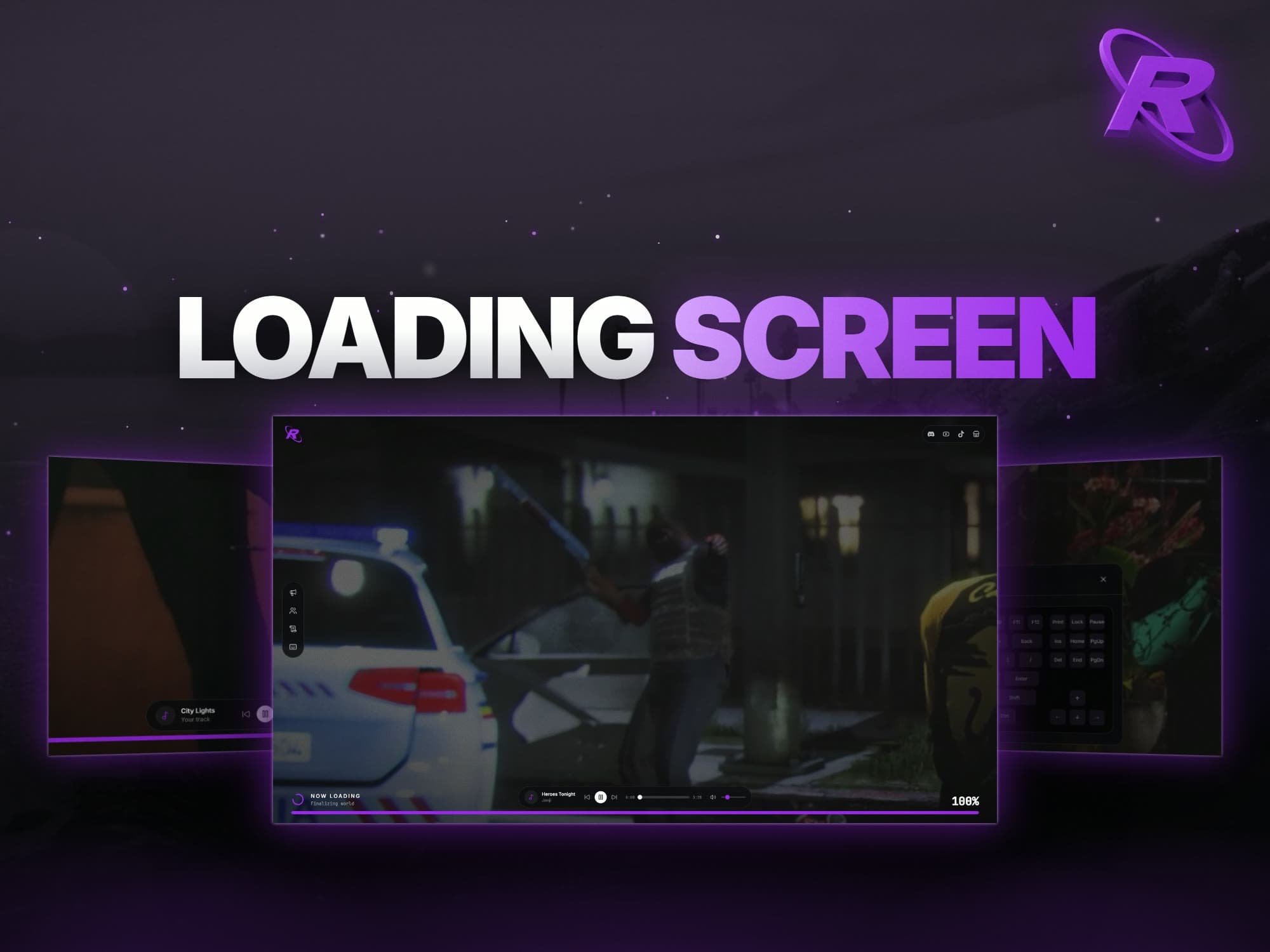
R_Loading is what players see while your server loads. Real progress instead of a fake bar, tips for new players, your own music and video, and side panels with updates, staff, rules and keybinds.
The screen
Real progress. The bar follows the actual loading, with a live log of the resource loading and a percentage.
Tips. Your own tips above the bar, changing every few seconds.
Your video and logo. Your own background clip, logo and accent colour.
Music player. A playlist with skip, seek, volume and Space to pause. Remembers each player's volume.
Social buttons. Discord, store, YouTube, TikTok, X and more.
Side panels
Updates. Your changelog and announcements.
Team. Your staff list.
Rules. Read before the first spawn.
Keybinds. Your binds lit up on a full keyboard. Hover a key to see what it does.
For server owners
Standalone. Any framework, no SQL, no dependencies. 0.00 ms in-game.
One config file. Text, links, tracks and panels in
config.js. Turn off any panel you don't need.Drop-in media. Replace the video, music and logo in
media/. No build step.Never stuck. Closes when the character loads, with a fallback timer.
Auto-updater. A console notice when a new version is out.
- Version
- v2.3.0 · Oct 26, 2026
- Resmon
- 0.00 ms in-game, runs only during load
- Resource size
- ~6 MB + your media
- Lines of code
- 1,381103 Lua · 1,278 UI
- Languages
- EnglishAdd your own
- Background slideshow is here.
- image.src now takes a list of pictures, and the loading screen crossfades between them with a slow zoom.
- New image.interval option sets how many seconds each picture stays.
- A single picture works exactly like before, so no changes to your config are needed.
- Added image background option: set image.enabled to true in config.js to show a picture instead of the video
- Docs updated with the new option and a fix for black background videos
- The loading screen now stays up until your character is loaded (ESX, QBCore and Qbox) instead of closing when the scripts start loading. A safety timer closes it after 90 seconds so nobody gets stuck.
- New config.lua with CloseEvents (add your own framework's "player loaded" event) and Fallback (seconds, 0 turns the timer off). Custom spawn code can call exports.r_loading:Close().
- progress.showLog = false now really hides the loading line.
- New progress.showTitle = false hides the "Now Loading" heading.
- Replace the whole resource and re-add your settings. Your web/build/config.js stays as it was.
- Release of billing v2
Real progress
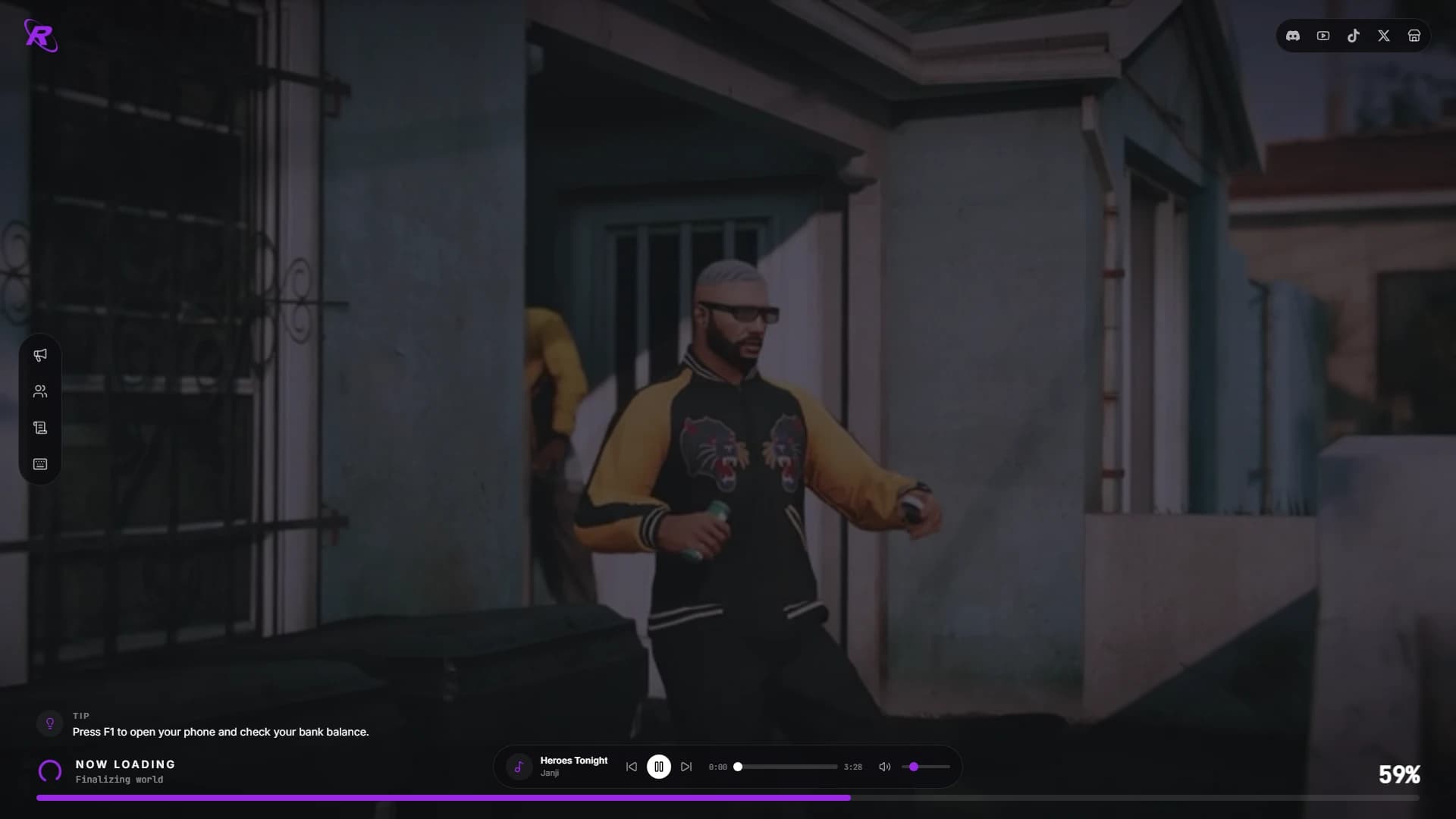
Players see how far the server really is, not a fake bar. The bar follows the actual loading, with a big percentage and a live log of the resource loading. Your own tips change above it every few seconds, and your background video, logo and accent colour fill the rest of the screen. It closes by itself when the character loads.
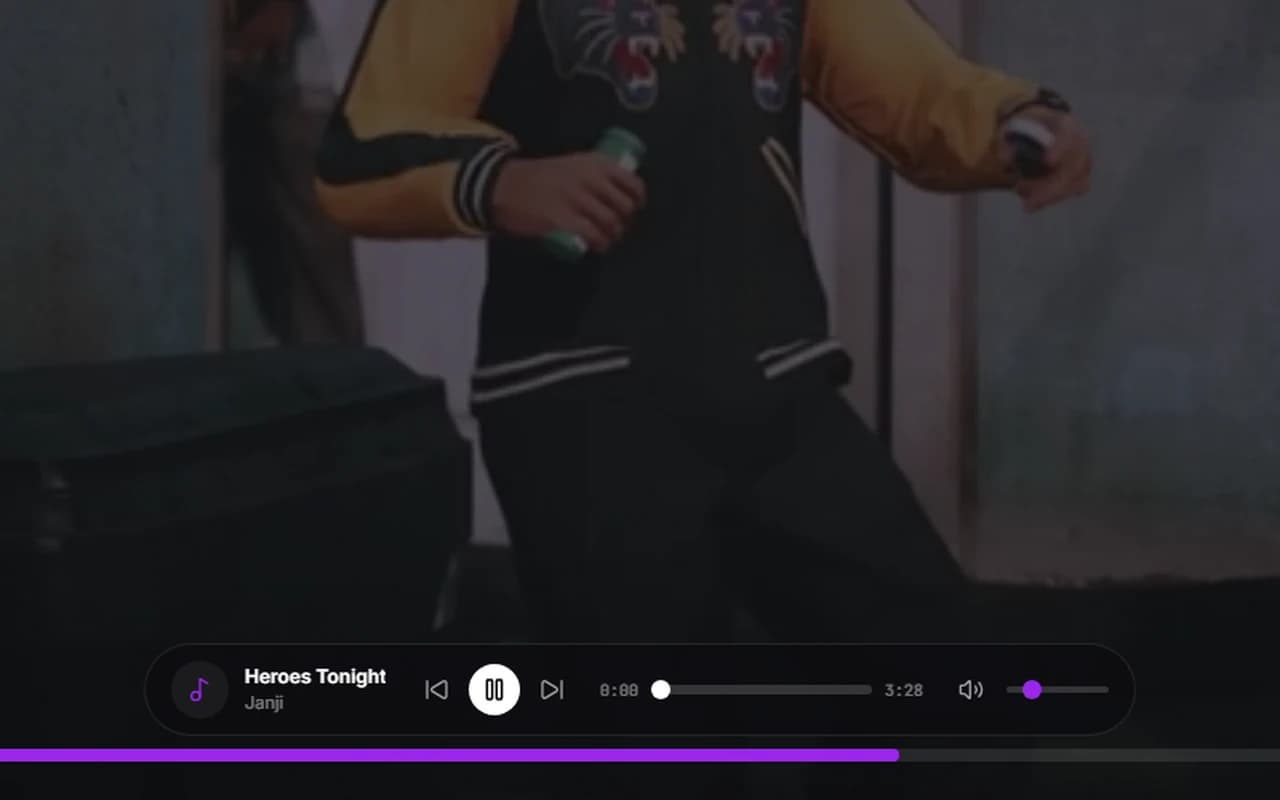
Music player
Play your own playlist while the server loads. Players can skip tracks, seek, change the volume and press Space to pause, and the screen remembers each player's volume. Your social buttons for Discord, your store, YouTube, TikTok, X and more sit at the top. Swap the music by replacing the files in media/, with no build step.
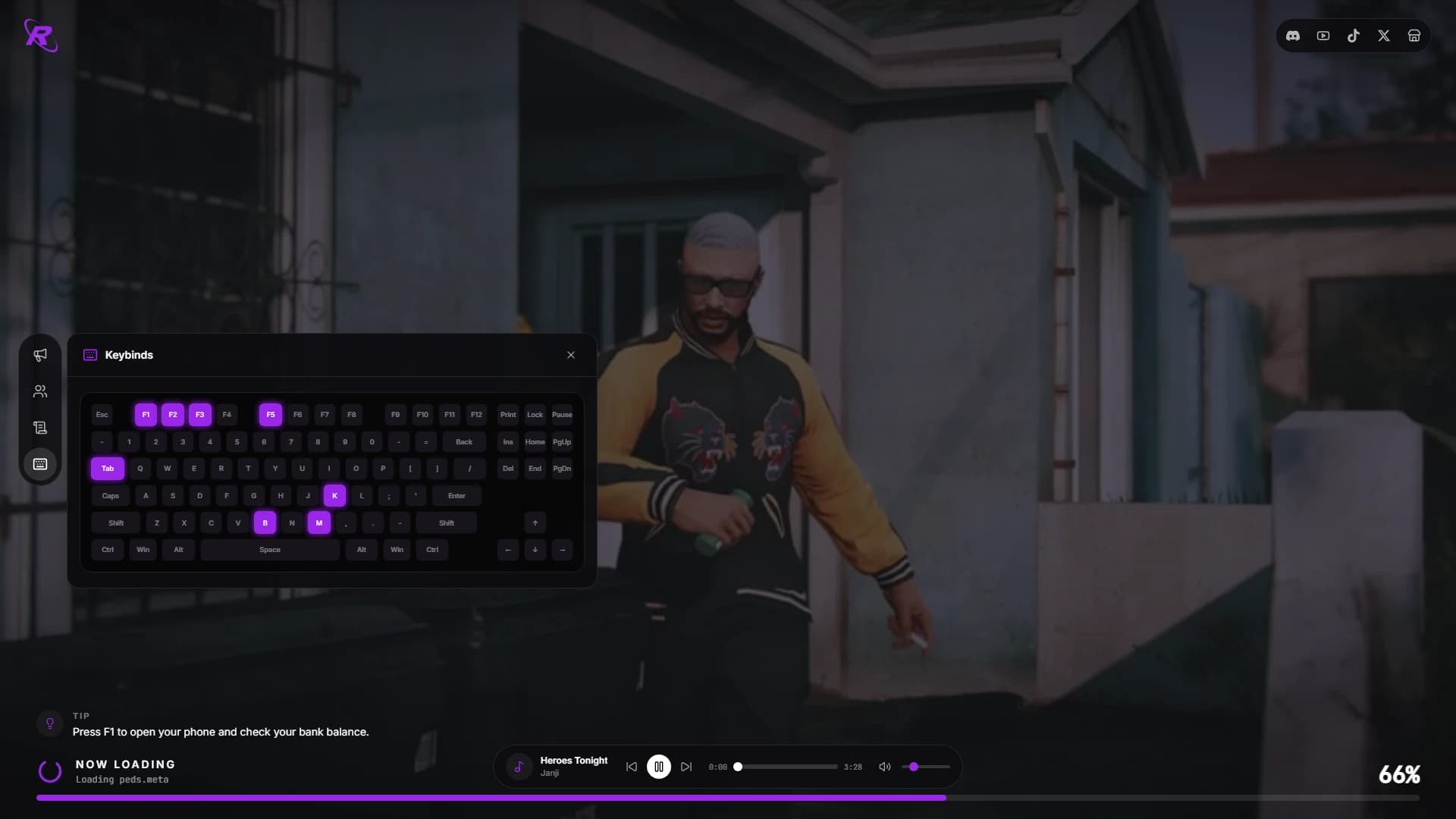
Keybinds
Show new players your controls before they spawn. Your binds light up on a full keyboard, and hovering a key shows what it does. Keybinds sits on the side rail next to the Updates, Team and Rules panels, all filled in from the same config.js. Any panel you don't need can be turned off.
Loading Screen
FiveM Script for Standalone
12.99€